

Introduction
Instagram is full of videos that people want to watch again, share with friends, use as creative inspiration, or keep for offline viewing. Creators may also want to save their own videos for editing, backups, or use on another platform. However, Instagram does not provide the same download option for every type of video, and the available options can depend on the content and device.
That is why instagram video download searches are so common. Users are looking for a simple way to save a video without losing quality, dealing with confusing websites, or putting their account information at risk.
The good news is that there are several ways to save Instagram videos. Some methods use Instagram’s own features, while others use a browser, mobile app, or shortcut. Each option has advantages and limitations.
This guide explains seven practical methods, including options for iPhone, Android, and desktop users. It also covers HD and 4K quality, watermark concerns, audio extraction, security checks, and copyright considerations.
The most important rule is simple: never give your Instagram password to an unknown downloader just to save a video. A convenient download is not worth putting an account at risk.
What Is Instagram Video Download?
An Instagram video download means saving an Instagram video as a file on a phone, tablet, or computer instead of only viewing it inside the Instagram app.
There is an important difference between saving and downloading.
When a user taps Instagram’s Save option, the post is generally added to a collection inside Instagram. It is useful for finding the video later, but it does not necessarily create a video file in the phone’s gallery.
A downloaded video, on the other hand, becomes a file that can potentially be viewed offline, backed up, or imported into a video editor.
Instagram content can include several types of video:
- Instagram Reels
- Videos published in posts
- A user’s own uploaded videos
- Public video content
- Other supported video formats
The exact download options can vary. A video that can be downloaded through an official Instagram feature may not need a third-party tool at all. In other situations, users may look for a browser-based video downloader.
It is also worth remembering that downloading a video does not automatically give someone permission to repost it. A downloaded file and the rights to reuse that file are two different things.
For example, a creator might download their own Reel to keep a backup. That is very different from downloading another creator’s video and uploading it to a new account without permission.
7 Ways to Download Instagram Videos
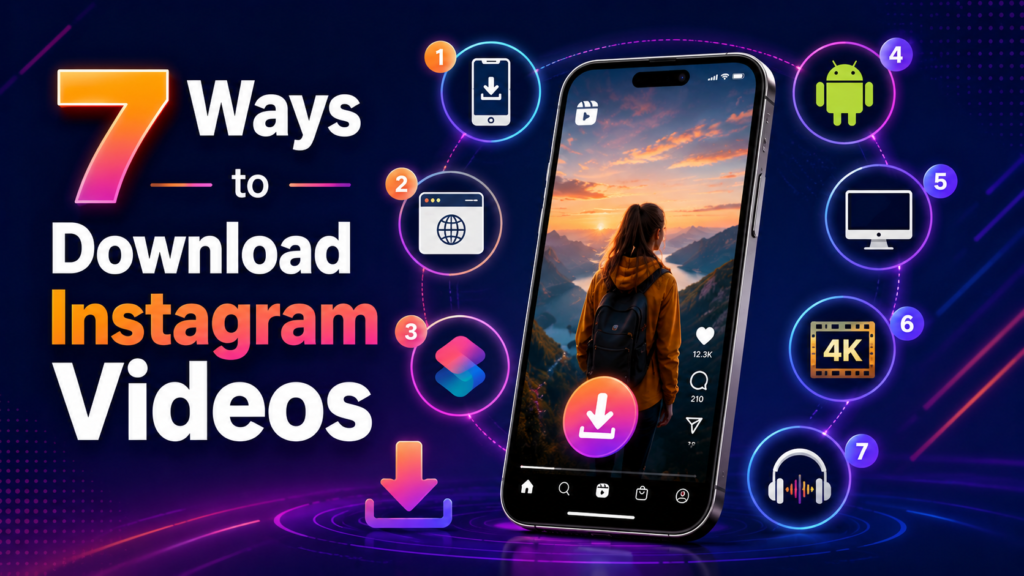
There is no single method that is best for everyone. The right choice depends on the device, the type of video, the desired quality, and what the user plans to do with the file.
Here are seven practical approaches.
1. Use Instagram’s Built-In Options
The safest starting point is always Instagram itself.
When Instagram provides an official download option for a particular video, it is usually preferable to using an unknown third-party service. The exact options can change, so users should look for features such as Download, Save, or similar controls in the Instagram interface.
A typical process is:
- Open the Instagram app.
- Find the Reel or video.
- Open the sharing or options menu.
- Look for a download option if one is available.
- Follow the on-screen instructions.
- Check the phone’s gallery or camera roll.
If there is no download option, do not assume something is wrong with the phone. The feature may simply not be available for that particular content.
There is another useful distinction. If the goal is simply to find the video later, Instagram’s Save feature may be enough. Downloading is more useful when an actual video file is needed.
Tip: For personal use, start with Instagram’s own features before searching for a third-party downloader.
2. Use an Online Instagram Video Downloader
An online downloader can be convenient because it does not always require installing an app.
The general process is straightforward:
- Open Instagram.
- Find the video you want to save.
- Copy the video’s link.
- Open a reputable online downloader in a browser.
- Paste the link into the downloader.
- Select an available quality or format.
- Start the download.
- Check the downloaded file before opening or sharing it.
The exact interface differs between services, but the basic workflow is usually similar.
A browser-based option can be especially useful for someone who only downloads a video occasionally. There is no need to keep another app installed permanently.
However, convenience should not replace caution.
Some websites contain multiple buttons that look like download controls. Others may display aggressive pop-ups or redirect users to unrelated pages. A safer approach is to avoid anything that asks for unnecessary account credentials or requests suspicious permissions.
A downloader also cannot magically improve the source video. If the original video is low resolution, choosing a button labeled “4K” does not necessarily turn it into genuine 4K footage.
3. Use a Mobile Downloader App
People who frequently save videos may prefer an app designed for video downloads.
Mobile downloader apps can make repeated downloads faster because they may remember settings or provide shortcuts for sharing links from Instagram.
A typical workflow looks like this:
- Install an app from a trustworthy source.
- Review the permissions it requests.
- Open Instagram.
- Copy the video link.
- Send or paste the link into the downloader.
- Choose the available quality.
- Save the file.
- Check the gallery or download folder.
Before installing any app, users should look at what access it requests.
For example, a video downloader may reasonably need permission to save a file. It should not automatically need access to unrelated personal information just to download a public video.
Users should also be careful with apps promising unrealistic features such as unlimited access to private accounts. Claims like these are a warning sign.
For people searching for an instagram video download app without watermark, it is better to evaluate the app’s actual features instead of trusting the phrase “no watermark” in an advertisement.
4. Use an iOS Shortcut
iPhone users sometimes use shortcuts to simplify repetitive tasks. An instagram video download shortcut iOS workflow can potentially reduce the number of steps involved in processing a video link.
The general concept is:
- Copy an Instagram video URL.
- Run the shortcut.
- Let the shortcut process the link.
- Select the output if options are provided.
- Save the result to the Photos app or Files.
However, shortcuts are not permanent solutions. Instagram can change how its links and content work, which can cause a previously working shortcut to stop functioning.
There is also a security consideration. Users should understand what a shortcut does before running it. A shortcut that requests unusual access or sends information to an unknown service deserves extra scrutiny.
For occasional downloads, a simple browser method may be easier. A shortcut becomes more attractive when someone performs the same task regularly.
5. Download Videos on a Desktop Browser
A computer can be a better option for creators and editors who need to move files into editing software.
The basic process is similar to using a mobile browser:
- Open Instagram in a desktop browser.
- Find the desired video.
- Copy its link.
- Use a reputable browser-based downloader when appropriate.
- Paste the link.
- Select the available file quality.
- Download the file.
- Open the file from the computer’s Downloads folder.
The biggest advantage is workflow.
Suppose a video editor is preparing a project and needs to organize several permitted reference clips. Working on a desktop can make it easier to rename files, create folders, check resolutions, and move clips into editing software.
A desktop workflow is also useful for backups. For example, a creator could keep a folder containing original social-media exports and another folder containing published versions.
6. Save Videos for Editing
Creators often have a different reason for downloading Instagram videos than casual viewers.
A creator may want to save:
- Their own published videos
- Previous edits
- Reference material
- Content they have permission to use
- Clips for an approved editing project
Before importing a downloaded video into an editor, check its resolution and frame rate.
For example, if a creator is editing a vertical social-media project, a low-quality downloaded clip may look noticeably worse after additional compression. Starting with the highest legitimate quality available is usually better.
It is also useful to keep the original project file whenever possible. A downloaded social-media copy is not always equal to the original exported video.
If a creator has the original footage, that file should generally be treated as the master copy. Instagram can compress uploaded content, so downloading a published version may result in less quality than the original.
Another practical point is organization. Give files useful names instead of leaving dozens of files with generic names such as video.mp4.
For example:
travel-reel-beach-2026.mp4
is easier to find later than:
download_17382.mp4
7. Extract Audio From a Video
Sometimes users do not actually need the video. They only want the audio.
That is where audio extraction becomes useful.
For example, a creator may have permission to use a particular audio clip in an editing project and wants an audio file rather than a full video.
A typical workflow is:
- Obtain the video through an appropriate method.
- Open it in a trusted video or audio editing application.
- Choose an audio export option.
- Select the desired audio format.
- Save the resulting file.
MP3 is a common format for general audio use, while other formats may preserve more information depending on the editing workflow.
However, extracting audio does not remove copyright restrictions. Converting a video into an audio file does not change who owns the underlying material.
How to Get HD, 4K, and Watermark-Free Videos
Video quality is one of the biggest concerns when downloading social-media content.
A user may search for an instagram video download without watermark hd 4k, but several factors determine what is actually possible.
Check the Original Quality
A downloader cannot create genuine detail that was never present in the original.
If a video was uploaded at 720p, downloading it as a 4K file does not necessarily make it a real 4K video. The file may simply have been enlarged.
For the best result, look for the highest quality source legitimately available.
Understand Watermarks
A watermark can come from several places.
Some social platforms may apply branding to downloaded content under certain circumstances. A third-party downloader may also add its own branding.
This is why searches for instagram video download without watermark are common.
If a creator is downloading their own content, the cleanest solution is often to keep the original video file before uploading it to Instagram. That preserves the source quality and avoids having to recover the video later.
For someone downloading another creator’s content, removing a watermark can also remove attribution. If the creator’s branding is part of the original content, users should not assume that removing it gives them permission to present the work as their own.
Check Available Formats
A useful downloader should clearly explain its available formats rather than showing confusing buttons.
Common output formats may include:
- MP4 for video
- MP3 for audio
- Different video resolutions
- Different quality levels
The best format depends on what the user plans to do.
For general playback, MP4 is widely practical. For editing, users may care more about resolution, frame rate, and compression than simply the file extension.
Don’t Trust a 4K Label Blindly
A website saying “4K download” does not prove that the resulting file contains genuine 4K source detail.
After downloading, users can check the file properties on their device.
Look at:
- Resolution
- File size
- Duration
- Frame rate, when available
- File format
A very small file claiming to contain a long 4K video deserves closer inspection.
Choosing a Safe Instagram Video Downloader
Finding a tool that works is only half the job. Finding one that does not create unnecessary security problems is more important.
Avoid Sharing Instagram Login Details
A legitimate need to download a public video usually should not require handing over an Instagram password to an unknown website.
This is one of the most important safety checks.
If a downloader says:
“Log in with your Instagram username and password to continue.”
users should stop and consider whether the service is trustworthy.
Entering credentials into a third-party site can expose an account to phishing or other security risks.
When possible, use methods that work with a public video URL without requiring account credentials.
Check App Permissions
Before installing a downloader app, review its permissions.
Ask:
- Does it need access to storage or photos to save videos?
- Does it request unrelated permissions?
- Is the developer clearly identified?
- Are there recent reviews?
- Is the app distributed through a reputable store?
No app should receive broad access simply because it promises a faster download.
Watch for Fake Download Buttons
Some free downloader websites rely heavily on advertising.
This can make it difficult to tell which button actually starts the download.
Be careful if a page:
- Opens several new tabs.
- Redirects to unrelated websites.
- Requests browser notifications.
- Downloads an unexpected file.
- Claims your device has a virus.
- Asks you to install unrelated software.
Close suspicious pages rather than continuing through them.
Consider Average Download Speed
The average download speed depends on more than the downloader itself.
It can be affected by:
- Internet connection
- Server traffic
- Video size
- Device performance
- Browser
- Network restrictions
A service that is fast one day may be slower another day.
Therefore, avoid services making unrealistic promises such as guaranteed instant downloads for every file.
Look for Useful Features
A practical downloader may offer:
- Clear download buttons
- Multiple quality options
- Useful available formats
- Mobile compatibility
- Reasonable download speed
- Simple link processing
- No unnecessary login
- Clear privacy information
Extra features are not automatically better. A simple tool that safely performs one job can be preferable to an app packed with unnecessary functions.
Instagram Video Download for Creators and Editors
For creators, video downloading is often part of a larger content workflow.
A creator might publish a Reel, later need the same video for a portfolio, and discover that the original file is no longer easily accessible. Keeping a local copy from the beginning can prevent that problem.
A simple creator workflow is:
- Export the final video from the editing software.
- Keep the original export on a computer or cloud backup.
- Upload the video to Instagram.
- Keep a copy of the published caption and project details.
- Use the original file whenever the video needs to be reused.
This is better than treating Instagram as the only storage location.
Downloading for Editing
Editors should also be aware of compression.
A video that looks good on a phone can lose quality after being downloaded, edited, exported, and uploaded again. Each additional compression stage can affect detail.
When the original footage is available, it is generally better to use that rather than repeatedly downloading and re-uploading a social-media copy.
For permitted third-party content, editors should keep track of where the material came from and whether they have permission to use it.
Automatic Download Workflows
Some users want automatic download features because they work with many files.
Automation can save time, but it should be used responsibly.
A creator managing their own content might use an organized workflow to save files from an approved source. Developers may also build systems around an API for video download when an official API or authorized data source supports the required functionality.
Automation does not remove platform rules or copyright obligations. It simply makes a technical process faster.
For most casual users, manual downloading is simpler and creates fewer technical and security concerns.
Is Instagram Video Download Safe and Legal?
Safety and legality are two different questions.
A tool can technically download a video but still create privacy problems. Likewise, a person may be able to download a video but not have permission to republish it.
Downloading Your Own Content
Downloading your own videos for backup, editing, or personal storage is generally the simplest use case.
Creators should ideally maintain copies of their original video files rather than relying entirely on a social platform.
Downloading Someone Else’s Content
Public availability does not automatically mean unrestricted reuse.
A video may be publicly visible while still belonging to its creator.
Before reposting, editing for commercial use, publishing elsewhere, or using the material in a monetized project, consider whether permission is required.
If a creator says that their content may be reused under specific conditions, follow those conditions.
Copyright and Attribution
Copyright rules vary by country, so users should not assume that every downloaded video is free to reuse.
Attribution can also be different from permission.
For example, writing “Credit to the original creator” does not necessarily give someone permission to reproduce the entire video.
The safest approach for third-party content is to obtain permission when reuse is intended.
Protect Your Account
Security should always come first.
Do not provide login credentials to random downloader websites. Be cautious about apps asking for unnecessary permissions, and avoid downloading unexpected executable files.
If a website seems more interested in obtaining account information than processing a video link, leave the site.
5 FAQs With Short Answers
1. How can I download an Instagram video?
You can use Instagram’s available download options or, where appropriate, a reputable browser-based downloader that works from the video’s URL.
2. Can I download Instagram videos without a watermark?
Some methods may provide videos without additional watermarks, but availability varies. For your own content, keeping the original video is usually the best option.
3. Can I download Instagram videos in HD or 4K?
You can download the highest quality available from the source, but a downloader cannot create genuine 4K detail from a lower-resolution video.
4. Is it safe to use an Instagram video downloader?
It can be, but users should avoid services requesting Instagram passwords, review app permissions, and watch for suspicious redirects, pop-ups, or unexpected files.
5. Is it legal to download someone else’s Instagram video?
Downloading and reusing content are different issues. Copyright and permitted use vary by situation and country, so permission may be needed before reposting or commercial use.
Conclusion
An instagram video download does not have to be complicated. The best approach depends on what the user needs: Instagram’s own features can be the simplest choice, while browser tools, mobile apps, iOS shortcuts, and desktop workflows can provide additional options when appropriate.
For casual users, the most important checks are simplicity and security. For creators and editors, video quality, file organization, and access to the original source are equally important.
When looking for HD or 4K content, always remember that the quality of the original video matters more than the label displayed by a downloader. A tool cannot turn a low-resolution source into genuine high-resolution footage.
Most importantly, protect the Instagram account. Avoid unknown services that ask for passwords, review app permissions carefully, and watch for suspicious pop-ups or downloads.
Finally, downloading a video and having permission to reuse it are not the same thing. Respect creators, copyright, and applicable platform rules. When the content belongs to someone else and will be republished or used commercially, getting permission is the safest approach.
A good downloader should make the technical part easier—not create a new security or copyright problem.